Dragon Pro v16 + Medical Vocabulary
The ultimate hybrid dictation solution for healthcare professionals. Merges the robust macro automation and offline capabilities of Dragon Professional v16 with a comprehensive clinical vocabulary module.
✓ Instant Digital Delivery (Perpetual Licenses)
🔒 Secure Checkout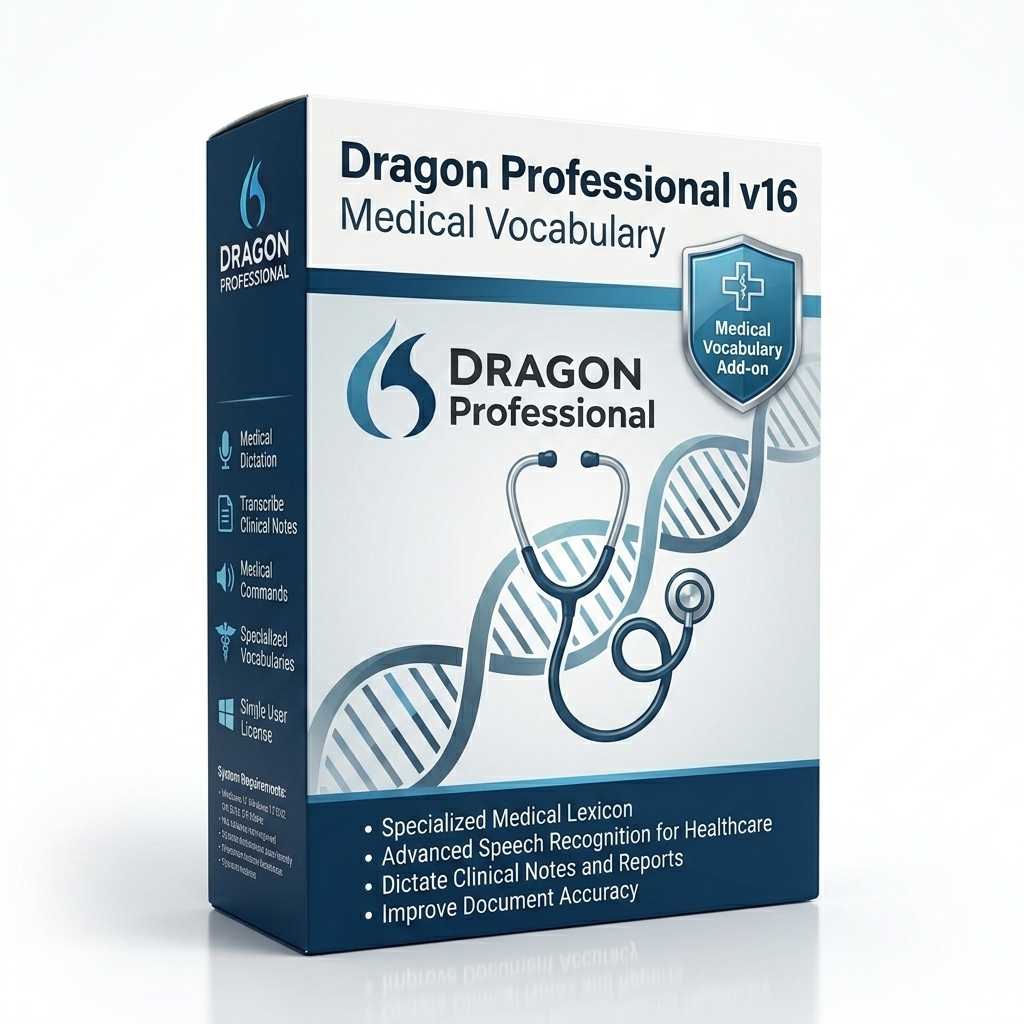
Key Takeaways for Healthcare Staff
- No Subscriptions: Bypasses the expensive recurring annual fees associated with cloud-based medical dictation platforms.
- Clinical Comprehension: The add-on module forces the standard Dragon engine to understand complex pharmacology, anatomy, and surgical terminology instantly.
- Offline Security: Because the engine processes speech locally on your hard drive, it never transmits protected patient audio to a remote server.
- Audio Transcription: Allows independent clinicians to dictate notes into a voice recorder offline and transcribe the MP3 files later using the medical vocabulary.
Pros & Cons
Pros
- Massive long-term cost savings (Perpetual license).
- Transcribes recorded audio (A feature missing from DMO).
- Extremely powerful custom macro capabilities.
Cons
- Requires manual installation of two separate software packages.
- Lacks the deep, native API integration with Epic or Cerner found in Dragon Medical One.
The Hybrid Approach to Clinical Dictation
For independent physicians, small private practices, and healthcare administrators, the enterprise-level subscription costs of cloud-based medical dictation (like Dragon Medical One) can be financially prohibitive. Furthermore, some specialized workflows—such as transcribing audio files recorded offline—are simply not supported by cloud architectures. The Dragon Professional v16 + Medical Vocabulary bundle was created to solve this exact problem.
This bundle pairs the world's most advanced local desktop speech engine (Dragon Professional Individual v16) with a highly specialized, third-party medical dictionary module. The result is a perpetual-license software suite that operates entirely offline, executes complex macros, and understands clinical jargon flawlessly.
How the Medical Vocabulary Works
Out of the box, Dragon Professional v16 is trained on general business terminology. If a doctor dictates, "The patient presents with acute cholecystitis," the standard engine will likely misspell the gallbladder condition because it isn't in the primary dictionary.
When you install the Medical Vocabulary add-on, it injects tens of thousands of complex pharmacological names, surgical procedures, acronyms, and anatomical terms directly into Dragon's acoustic model. The engine suddenly understands the difference between Zoloft and Zocor, and knows how to properly format dosages and Latin abbreviations (like BID or PRN).
Ideal Healthcare Workflows
This hybrid bundle is highly favored by specific healthcare roles where cloud subscription models are overkill:
- Independent Medical Examiners (IMEs) & Forensic Psychiatrists: These professionals often record lengthy patient interviews or evaluations on a digital recorder while away from their desks. They require the ability to drop an MP3 file into their software and have it transcribed automatically using medical terminology. Cloud systems do not allow MP3 transcription; this local bundle does.
- Medical Researchers & Academics: Professionals authoring extensive peer-reviewed medical papers in Microsoft Word rely heavily on Dragon Professional's robust editing and formatting macros, which are superior to the thin-client tools found in cloud medical software.
- Veterinarians & Chiropractors: Smaller clinics utilize web-based EHRs or simple Word document templates. Because Dragon Professional interfaces directly with the Windows API, they can dictate their clinical notes directly into Google Chrome or Microsoft Word without paying enterprise hospital software prices.
System Requirements
- Operating System: Windows 10 (32/64-bit) or Windows 11.
- RAM: 8GB minimum (16GB recommended for running alongside an EHR).
- CPU: Minimum 2.4 GHz Intel i5 dual-core or equivalent. Local acoustic processing requires a fast CPU.
- Free Hard Disk Space: 8GB for Dragon Professional, plus 1GB for the Medical Vocabulary injection. An SSD is strictly required.
- Audio: A noise-canceling USB dictation microphone is required to achieve medical-grade accuracy.
Installation Guide
- Secure Checkout: Complete your purchase. You will receive two separate download links: one for Dragon v16 and one for the Medical Vocabulary.
- Install Base Engine: Run the Dragon Professional v16 setup first. Complete the installation and activate your license.
- Create Profile: Launch Dragon and create a standard user profile.
- Inject Vocabulary: Run the Medical Vocabulary setup executable. It will automatically locate your Dragon profile and inject the clinical dictionary into the acoustic model.
- Reboot & Dictate: Restart your computer. When you launch Dragon, it will now recognize complex medical terminology natively.
Frequently Asked Questions
How does this differ from Dragon Medical One?
Dragon Medical One is a cloud-based subscription service designed for direct EHR integration in large hospitals. This product is a hybrid: it uses the locally-installed Dragon Professional desktop engine (a one-time purchase) but injects a third-party medical vocabulary module so it understands clinical terms.
Is this hybrid setup HIPAA compliant?
Yes, provided your local Windows machine is properly secured. Because Dragon Professional v16 processes speech entirely on your local hard drive and does not transmit audio to the cloud, it can be deployed in a HIPAA-compliant manner.
Will this dictate into my EHR?
It will type into any text field on your Windows PC, including web-based EHRs like Athenahealth or eClinicalWorks. However, it lacks the deep, native API integrations with Epic or Cerner that Dragon Medical One possesses.
Can I use the Medical Vocabulary for offline transcription?
Yes. A major advantage of this hybrid setup over cloud-based DMO is that you can transcribe recorded audio files (MP3, WAV) containing medical terminology completely offline.
Is there an ongoing subscription fee?
No. Both the Dragon Professional v16 license and the Medical Vocabulary module are sold as perpetual licenses. You pay once and own the software indefinitely.
Delivery & Refund Information
Experience Instant Digital Delivery. Following your Secure Checkout, you will immediately receive an Email Delivery containing your License Information and direct download links for both software components.
We strictly adhere to our published Refund Policy, providing a return window to ensure the vocabulary integration meets your clinical standards. If you require assistance with the dual-installation process, please utilize our Contact Support Link.
Related Products
Dragon Professional v16
The standalone software without the medical vocabulary module.
View Product →Medical Practice Edition
The legacy dedicated medical desktop client. Replaced primarily by cloud models.
View Product →3-Year Remote Tech Support
Have our experts remotely install and inject the medical vocabulary for you.
View Product →