Dragon Professional v16 - Spanish (Upgrade)
Modernize your dictation workflow. Safely migrate your existing Spanish voice profiles to the new, Windows 11-optimized acoustic engine at a significantly discounted rate.
✓ Instant Digital Delivery (Upgrade License)
🔒 Secure Checkout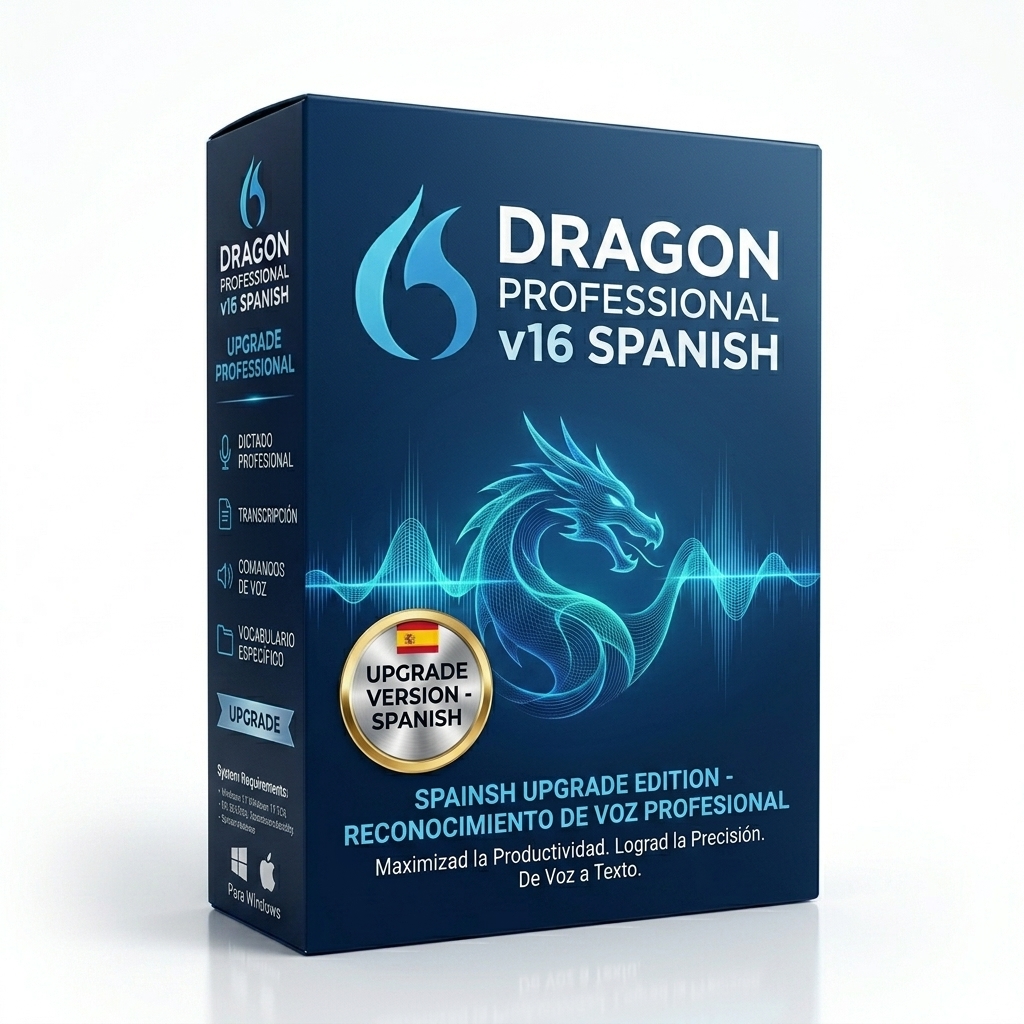
Key Takeaways for the Upgrade
- Eligibility Check: You must have a valid serial key from a previous installation of Dragon Professional Individual v14 (Spanish) or v15 (Spanish).
- Seamless Migration: The installation wizard safely extracts your existing Spanish voice profile and custom macros, transferring them to the new engine without data loss.
- Modernization: Specifically engineered to resolve compatibility conflicts with modern Microsoft Office 365 and the Windows 11 accessibility APIs.
- Financial Savings: Enjoy a substantial discount for upgrading rather than paying the full $699.00 retail price.
Pros & Cons
Pros
- Saves hundreds of dollars compared to a new license.
- Automated migration eliminates the need to retrain the software.
- Resolves frequent crashing and latency issues found in v15.
Cons
- Requires your old serial key to validate the installation.
- Cannot be used to switch languages (e.g., English v15 to Spanish v16).
Why Upgrade Your Spanish Dictation Engine?
For hispanophone professionals who rely heavily on speech recognition to process documents, software stability is essential. Versions 14 and 15 of Dragon were incredibly powerful, but their codebases were designed during the Windows 10 era. As operating systems and Office suites have evolved toward cloud-connected architectures (like Office 365 and Windows 11), those older acoustic engines have begun to experience critical latency and crashing errors.
The Dragon Professional Individual v16 Spanish Upgrade provides a completely overhauled deep learning engine. It ensures your software remains stable and highly accurate, while preserving the localized Spanish capabilities you depend on.
Architectural Feature Improvements
This release is a foundational modernization. Key improvements over version 15 include:
- Native Windows 11 Integration: Version 16 interfaces directly with the newest Windows UI. The DragonBar renders flawlessly on high-DPI 4K monitors without blurring or scaling issues.
- Resilient COM Add-Ins: If your Dragon dictation add-in is frequently disabled by Microsoft Word, v16 solves this. The new integration protocols prevent Office 365 from incorrectly flagging Dragon as a performance risk.
- Enhanced Acoustic Adaptation: The underlying neural network has been significantly upgraded. Version 16 filters out ambient background noise much better than v15, ensuring high accuracy even in busy, open-plan office environments.
- Faster Document Parsing: When opening large Spanish manuscripts or contracts, the v16 engine parses the existing text much faster, meaning you can begin dictating within milliseconds.
The Profile Migration Safety Net
Nuance understands that your custom Spanish voice profile is highly valuable. You have likely spent hours teaching v15 your custom acronyms and localized vocabulary. The v16 setup is entirely non-destructive. The installer automatically scans your hard drive, extracts the acoustic data and your custom vocabulary lists, and migrates them directly into the new engine. You maintain your historical accuracy without starting from scratch.
System Requirements
- Operating System: Windows 10 (32-bit and 64-bit) or Windows 11.
- RAM: Minimum 4GB (8GB strictly recommended for multitasking).
- CPU: Minimum 2.2 GHz Intel dual-core or AMD equivalent.
- Free Hard Disk Space: 8GB available space.
- Prerequisite: Your old v14 or v15 installation must be present on the machine, OR you must manually type your old serial key during setup to prove your eligibility.
- Internet: Required to validate both your old and new serial keys against the Nuance licensing server.
Installation Guide
- Secure Checkout: Purchase the upgrade. Your localized download link and new v16 serial key will arrive via email instantly.
- Verify Old Installation: Ensure your current Dragon v14/v15 is closed. Do NOT uninstall it manually.
- Run Installer: Double-click the downloaded v16 setup file. It will automatically detect your old profile and ask to upgrade it.
- Input Keys: When prompted, enter your newly purchased v16 key. If upgrading on a fresh PC, you will also need to enter your legacy key.
- Complete Migration: Allow the wizard to uninstall the old engine and configure the new one. Reboot your PC and begin dictating.
Frequently Asked Questions
Am I eligible for this Spanish upgrade?
You are eligible if you possess a valid serial key for Dragon Professional Individual v14 (Spanish) or v15 (Spanish). Upgrading from an English edition to a Spanish edition is not supported via this specific upgrade path.
Will it preserve my custom Spanish vocabulary?
Yes. The v16 upgrade installation wizard will automatically detect your existing Spanish voice profile, safely migrating your custom macros and specialized vocabulary words to the new engine.
What are the main improvements over version 15?
Version 16 provides native compatibility with Windows 11 and modern Microsoft Office 365 environments, resolving the frequent 'Add-in disabled' errors found in older versions. It also features an improved deep learning model for better noise cancellation.
Should I uninstall v15 before running this upgrade?
No. Please leave your v15 installation intact. The v16 setup wizard will locate your profiles, extract the data, and handle the uninstallation of the old engine automatically during the process.
Is this delivered digitally?
Yes. This is a digital-only delivery. Once your checkout is complete, you will instantly receive your new v16 upgrade serial key and a secure download link.
Delivery & Refund Information
Utilize our Secure Checkout to receive Instant Digital Delivery. Our automated licensing server will instantly email your new serial key and localized download link.
We honor a strict Refund Policy. If you purchase the upgrade but realize you do not have the required qualifying license, you may request a refund. If you encounter any issues during the Spanish profile migration, please reach out via our Contact Support Link.
Related Products
Pro v16 (Spanish) Full
The complete retail version for users who do not own a prior qualifying license.
View Product →Pro v16 (English) Upgrade
The standard upgrade path for users migrating from an older English edition.
View Product →3-Year Remote Tech Support
Ensure your Spanish voice profiles migrate perfectly with our expert remote assistance.
View Product →